A curated selection of packaging products that fly off our shelves. Our customers love these bestsellers for their practicality and visual appeal, ensuring your products stand out and attract more buyers.
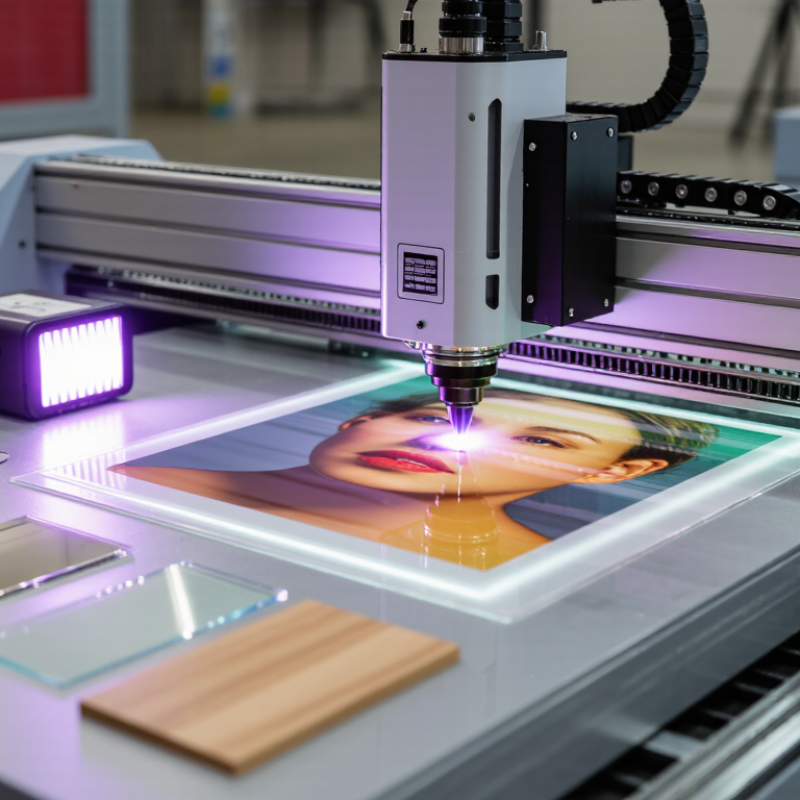
A UV Digital Printing Machine prints images directly from a digital file onto a surface. It deposits tiny droplets of specially formulated ink, then uses ultraviolet light to cure them. The ink hardens as it is printed. No drying rack is needed. Think of a sign emerging with crisp edges while a UV lamp glows beside the print head. The process can suit materials such as acrylic, glass, wood, metal, and selected plastics, depending on the machine, ink, and surface preparation. Results vary.
UV-curing researcher Charles Decker has published extensively on the chemistry behind light-activated coatings and inks. I cannot verify a direct quotation from him about UV digital printers, so the following is an editorial summary, not his verbatim words: “UV light triggers the cure; ink and surface determine the finish.” That distinction matters. The printer’s software controls image placement, while the print head lays down ink and the UV source cures it. Operators still need to check adhesion, color, lamp settings, and surface cleanliness. A glossy sample can look perfect, yet peel if the material was poorly prepared. This guide explains the machine’s main components, the printing sequence, and the practical factors that shape print quality. It also notes a limitation: “instant curing” does not guarantee every substrate will perform well.
A UV digital printing machine relies on several parts working in sync. The printhead moves across the material and places tiny droplets of UV-curable ink. Its nozzles need steady ink flow; even a small blockage can leave a thin line or missing detail. The ink supply system feeds the head, while filters and temperature controls help maintain consistent delivery.
Small changes matter.
A UV LED curing unit sits near the printhead. It shines ultraviolet light on the fresh ink, hardening it as the carriage passes. The motion system controls the carriage and material bed, so speed and alignment affect registration. A vacuum bed can hold flat sheets in place, though porous or uneven materials may still shift. The controller coordinates the print file, head movement, ink output, and curing power. Sensors may check material position or head height before printing.
Operators should inspect nozzle patterns and clean according to the machine’s instructions; curing settings also need testing for each material.
The parts sound straightforward. Their interaction is not.
A setup that works well on coated board may need adjustment for acrylic or flexible film.
Preparing the artwork well saves time at the printer. Set the document to the finished print size, and check that small text remains readable at actual scale. Use high-resolution images; enlarged low-quality files can show soft edges on a smooth surface. Keep important details away from the trim edge, since slight alignment shifts can happen. A test file helps reveal unexpected color or transparency issues.
Check the file’s color settings with the printer’s workflow in mind. Screens and printed inks do not reproduce color identically, so a bright monitor preview is not a guarantee. Include a white-ink layer only when the job and substrate require it, and confirm its placement before production. Simple artwork is easier to inspect. Still, small errors can hide in a crowded file.
The printing surface needs equal care. Remove dust, grease, and loose fibers with a suitable, lint-free cloth, then let the material dry fully. Check that it lies flat and fits securely in the printer’s fixture; a raised corner can affect print placement. Material coatings and textures vary, so confirm compatibility and make a small adhesion test when possible. Don’t rush this step. A clean surface may still need adjustment, and that part is easy to overlook.
A UV digital printing machine places ink directly onto a surface, then uses ultraviolet light to cure it. The printhead does the careful work. Inside it, tiny nozzles release measured droplets as the head travels across the material. Many systems use piezoelectric action to push ink through the nozzles. The droplets form dots that build letters, edges, and color fields. Small changes in head height or speed can affect placement.
UV ink begins curing when the printer’s lamps expose it to ultraviolet light. This quick curing helps keep details sharp, though it does not guarantee equal adhesion on every surface. A smooth acrylic sheet and a textured panel may behave differently. Test prints matter.
Tips: Keep the material clean and level, and run a nozzle check before detailed work. Look for missing lines or uneven gaps. Set the printhead at the recommended distance; too much space can soften placement. Handle the print carefully after curing, since a finished-looking surface may still need an adhesion test. Small setup mistakes happen. That is worth checking.
A printhead deposits tiny droplets of UV-curable ink onto a surface. UV light then cures the ink, helping it solidify shortly after printing.
Common nominal UV LED curing peaks include 365, 385, 395, and 405 nm. The suitable wavelength depends on the ink formulation and curing system; not every printer uses all four.
In a UV digital printer, ink droplets land on the substrate before a nearby lamp exposes them to ultraviolet light. Photoinitiators in the ink absorb this energy and produce reactive species. These trigger monomers and oligomers to join into a solid polymer network. The change happens quickly. RadTech’s technical guidance describes this process as UV/EB curing, where light initiates polymerization rather than drying ink through evaporation. Many LED curing systems emit within roughly 365–405 nm, but the ink’s photoinitiator must match the lamp’s output.
Curing still depends on dose, distance, ink thickness, and pigment. A dark, thick layer may block light from reaching ink below; oxygen can also leave a surface tacky. Small test prints matter. MarketsandMarkets’ UV-curable inks market report estimated a 2022 value of $1.7 billion and forecast $2.6 billion by 2027. That growth signals wider industrial interest, not proof that every UV setup cures equally well. An operator should check adhesion and surface cure on the actual material; a glossy finish can look dry while remaining undercured. The lamp’s settings deserve a second look.
A UV digital printing machine deposits small drops of ink onto a surface, then uses ultraviolet light to cure them almost immediately. That quick cure allows printing on materials that absorb little or no ink. Still, “prints on almost anything” is an exaggeration. Surface energy, coating, flexibility, and heat tolerance all affect the result.
Common materials include acrylic, glass, aluminum, coated wood, PVC, and some flexible films. A smooth acrylic sheet can produce crisp text, while dusty or oily glass may show weak adhesion. Clean the surface and test a small sample first.
Some jobs need a primer; others benefit from white ink beneath colors, especially on clear or dark stock. White ink adds opacity, but it can increase setup time and ink use.
Printing configurations should match the material and job size. Flatbed machines hold rigid sheets in place, while roll-to-roll systems feed flexible media such as banners and films. Hybrid systems handle both, though changeovers can take time. UV lamps cure each pass, and adjustable fixtures help maintain the correct print distance.
Small details matter. A warped panel can shift out of focus. I would not assume a successful test on one coating guarantees the same result on another. Check adhesion after curing, and inspect edges for lifting or cracking.
That extra test feels slow, but it can prevent a larger batch from becoming waste.